
Start painting.
A friendly place to learn at your own pace.
Paint with us in a group workshopGuided painting with Richard and a supportive group.
Get Started! →
How many times have you scrolled through hundreds of photos looking for that perfect scene to paint? You know the one — great composition, beautiful light, the kind of scene that just begs to be put on canvas. And you never quite find it.
Or maybe you have a scene in your head — a misty lake at dawn, mountains catching the first light, wildflowers in the foreground — but you can't find a photo that matches what you're imagining.
This is where PaintyBot comes in. You can describe the scene you want to paint, and PaintyBot will create a reference image for you. Just ILIKE that.
Open up PaintyBot by clicking the blue chat button in the bottom-right corner of any page.
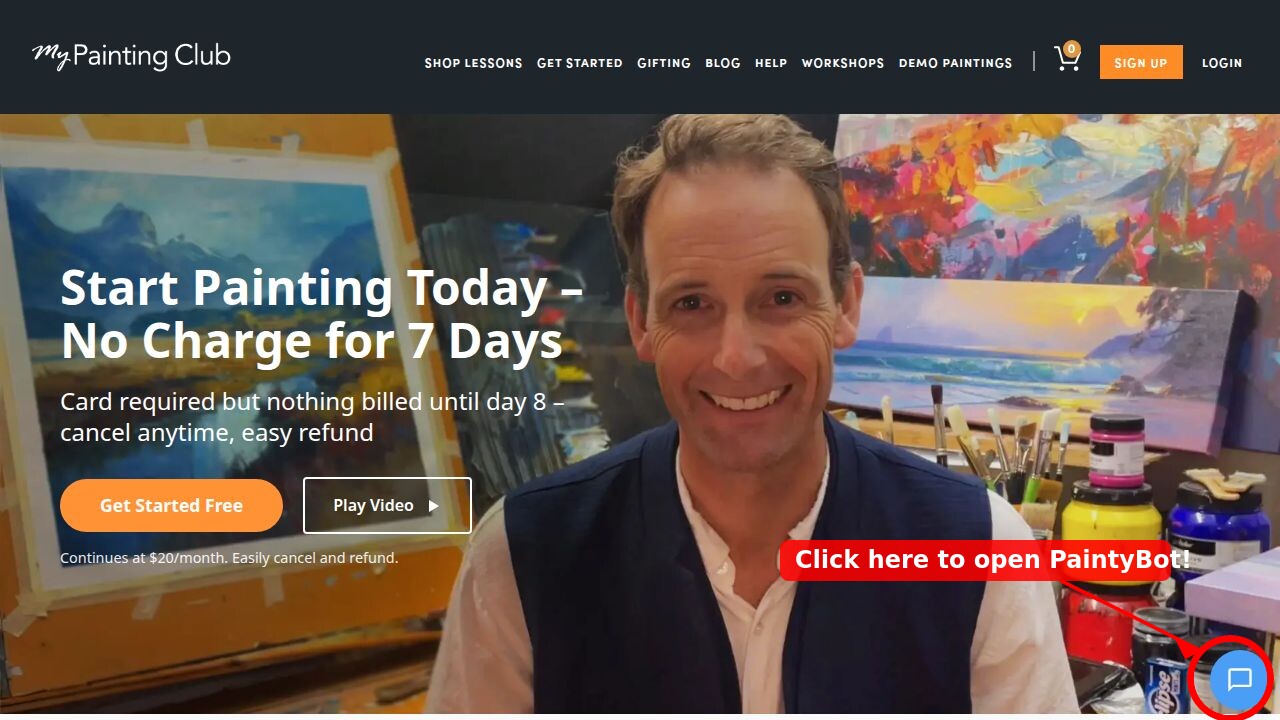
Click the blue chat button in the bottom-right corner to open PaintyBot.
Once the chat opens, click the "Generate Reference" button to get started.
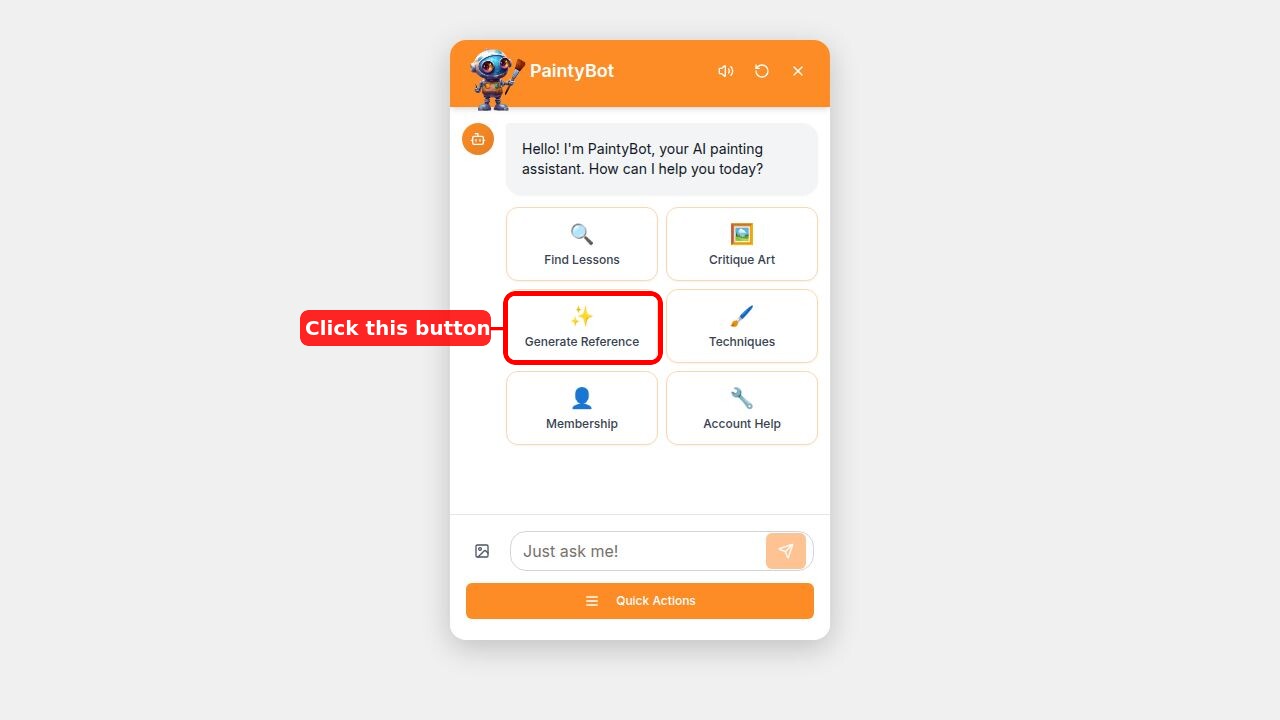
Click "Generate Reference" to create a custom reference image for your next painting.
Then simply describe what you'd ILIKE to paint. Be as specific as you ILIKE — the more detail you give, the better the result.
Here's what I asked for:
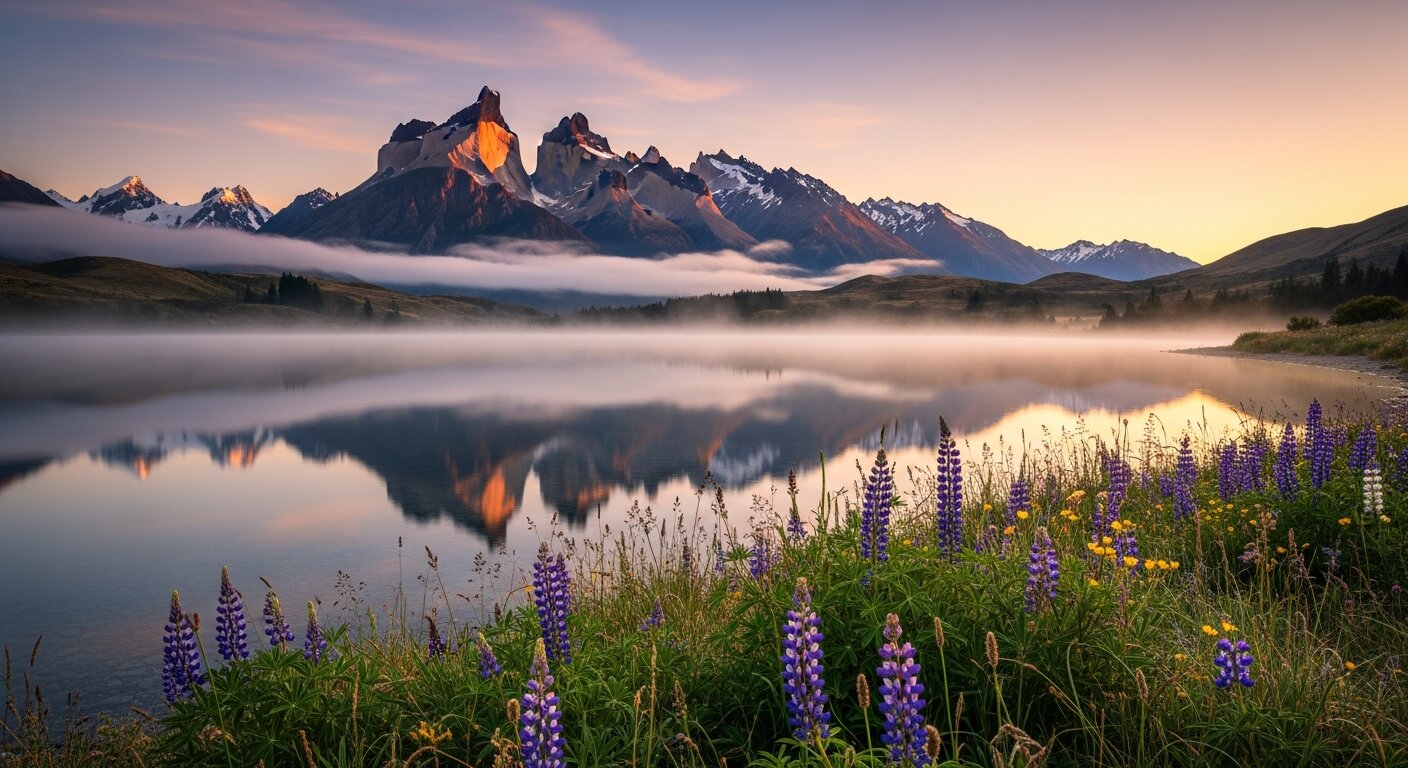
"Can you create a reference image of a misty mountain lake at golden hour, with dramatic peaks in the background and wildflowers in the foreground?"
Within moments, PaintyBot generated this stunning reference image. Look at that light! The mist sitting low across the water, the warm glow on those peaks, and those lupins in the foreground giving us a beautiful colour accent.
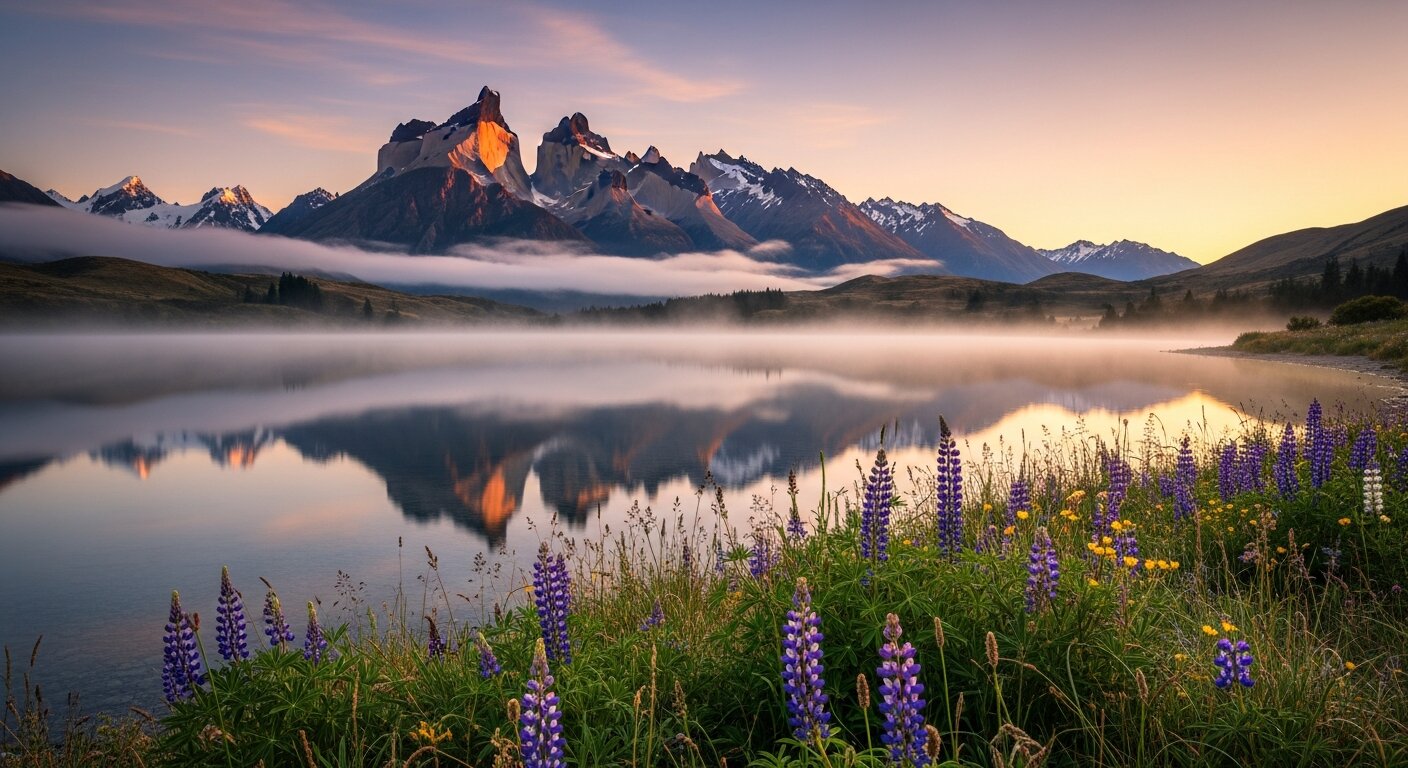
A reference image created by PaintyBot — ready to paint from.
Now, would I paint this exactly as is? Probably not — I'd make my own compositional choices, adjust the values, maybe simplify some areas. But as a starting point? This is gold. It gives me the bones of a painting that I can then make my own.
The beauty of this is you're not limited to what nature happens to look ILIKE when you're standing there with a camera. You can create scenes that combine the best of everything:
I want to be clear — this isn't about getting a computer to do the painting for you. Far from it. A reference image is just that: a reference. Your job as the painter is to interpret it, to find the big shapes, the value patterns, the colour harmony, and to express it through your brushwork and your artistic voice.
Think of it as one more tool in your toolbox, alongside plein air sketches, your own photos, and your imagination. Sometimes the hardest part of starting a painting is knowing what to paint. PaintyBot can help with that.
Next time you're stuck for inspiration, click that blue button and tell PaintyBot what's in your mind's eye. You might just find your next painting subject.
Happy painting!
— Richard
Login to your account to post a comment.