
Start painting.
A friendly place to learn at your own pace.
Paint with us in a group workshopGuided painting with Richard and a supportive group.
Get Started! →


Have you ever finished a painting late at night, stepped back, and thought — something's not quite right, but I can't put my finger on it? We've all been there. You want feedback, but your painting buddy is asleep, your art group doesn't meet until next week, and you're just staring at the canvas wondering.
Well, I'm excited to introduce you to PaintyBot — your new AI painting assistant that lives right here on My Painting Club. Think of it as having a knowledgeable painting friend available whenever you need one. It won't replace the human eye, but it's remarkably good at spotting things you might have missed.
Being a Professional Artist and teacher and having done thousands of Painting critiques myself, I was very dubious when I first tried an AI painting critique. How could it possibly understand what it was looking at and give decent advice? Well, to my utter shock, it actually worked!
Now, it may not give quite as specific, targeted advice as a human, but it does understand what it's looking at and gives Generic advice for that subject that is good enough to cover all the basic points that you may need to work on.
It's very helpful, and that's why I built it into PaintyBot for you and also trained it on my own style of critiquing, which opens with praise for what you've achieved and goes on to look at areas that could improve, and finishes with encouragement. I hope you'll enjoy using it to improve your work.
Getting started is dead simple. You'll see a little blue chat button in the bottom-right corner of any page on My Painting Club.
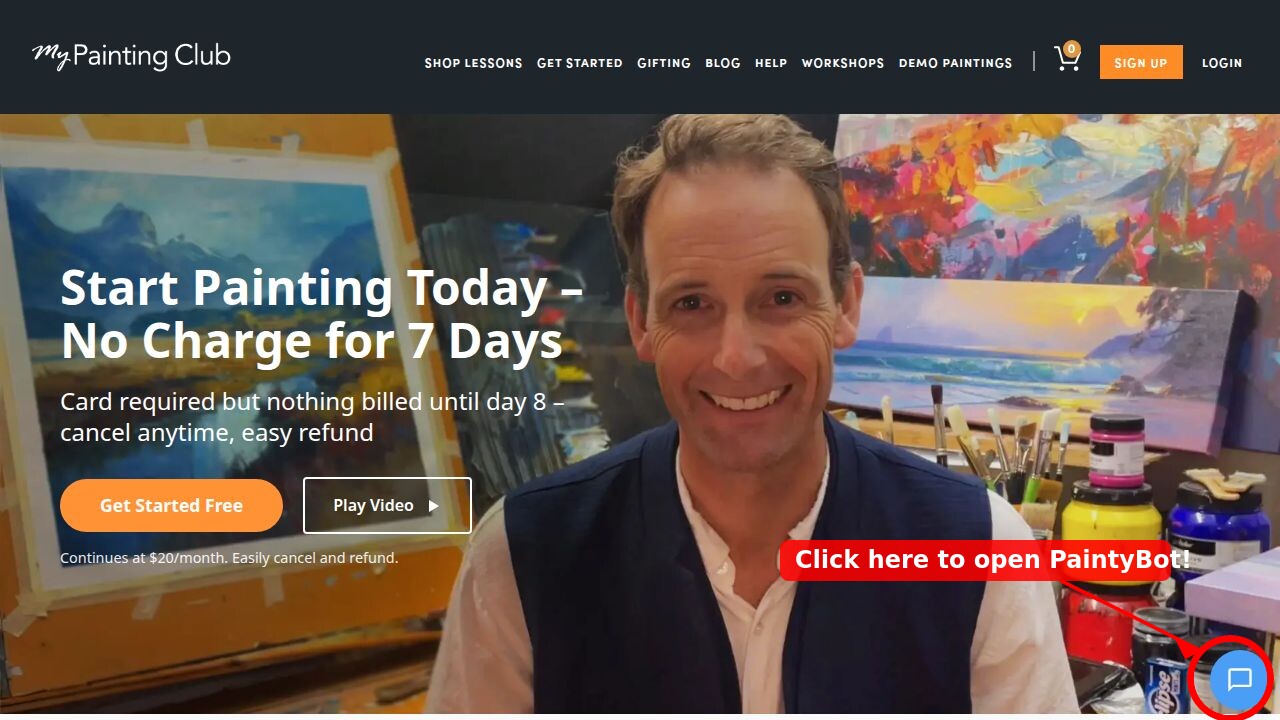
Look for the blue chat icon in the bottom-right corner — that's PaintyBot waiting to help.
Click that button and PaintyBot's chat window will open up. You'll see a welcome screen with several handy options. Click the "Critique Art" button to get started.
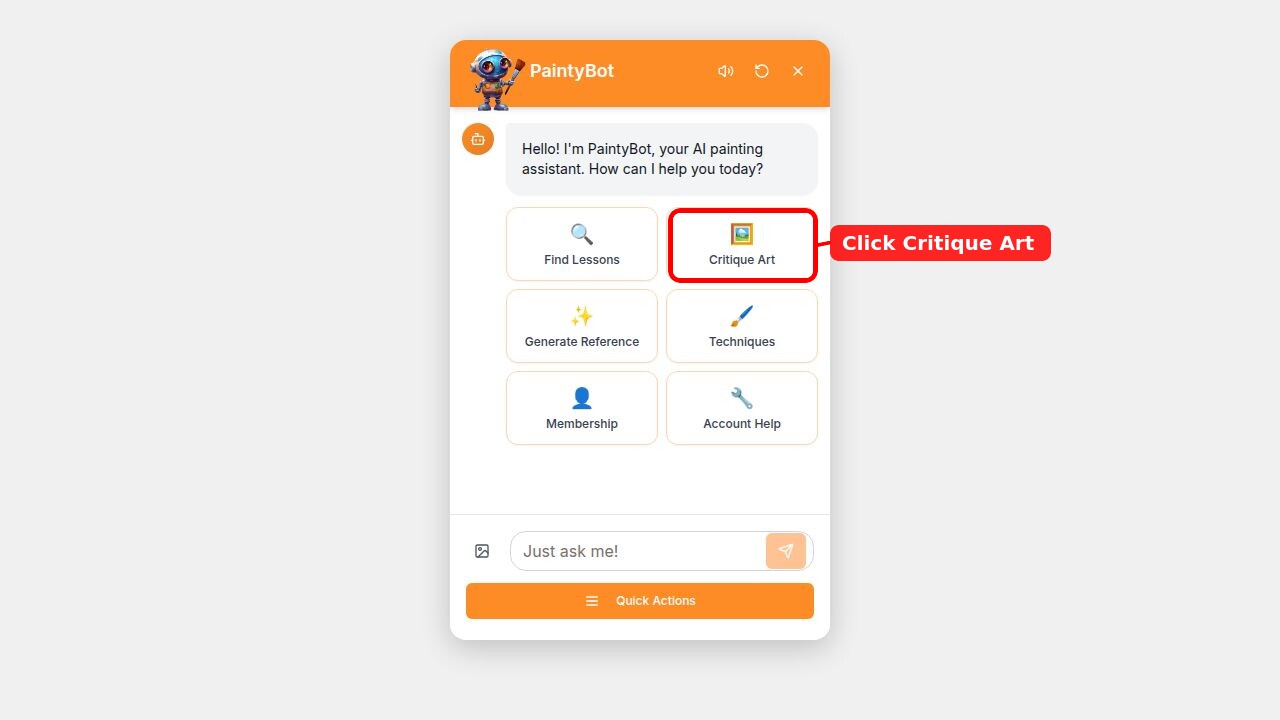
The PaintyBot chat window — click "Critique Art" to get feedback on your painting.
PaintyBot will then ask you to upload a photo of your painting. Click the little image icon next to the text input to upload your work.
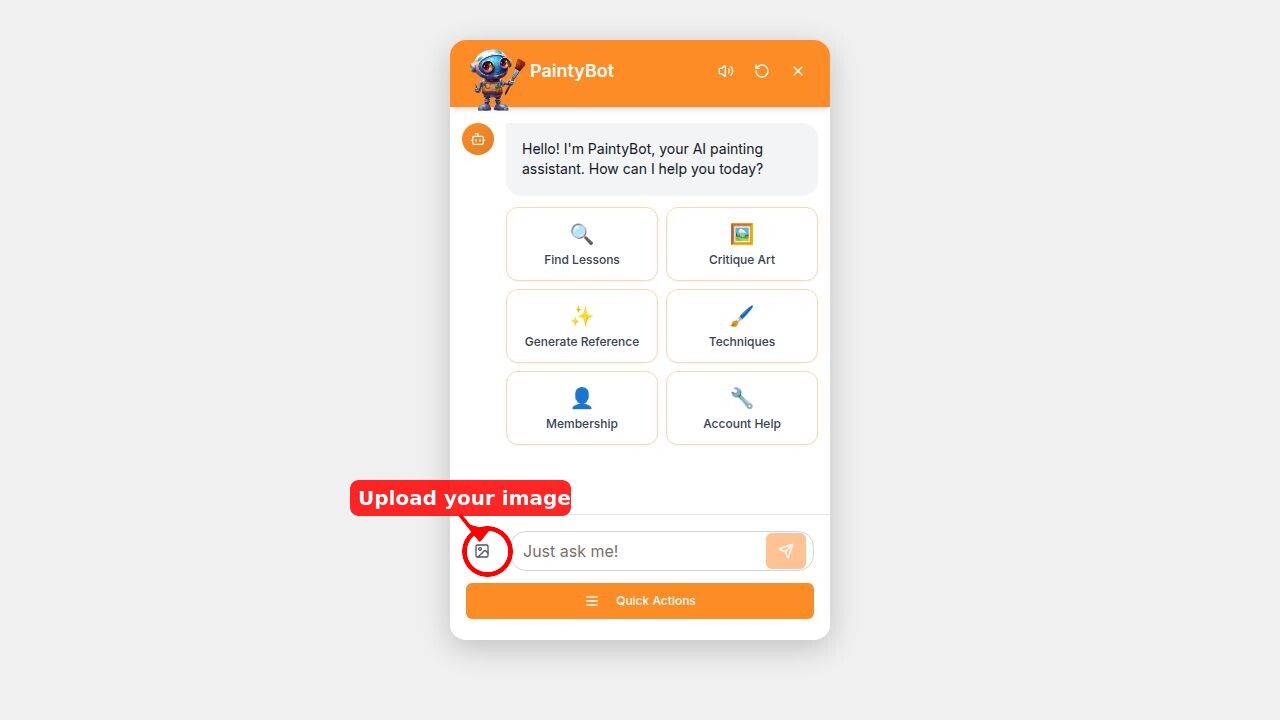
Click the image upload icon to send PaintyBot a photo of your painting.
I tried it with my Milford Sound painting with the snow-capped peaks and that backlighting I'm always going on about.
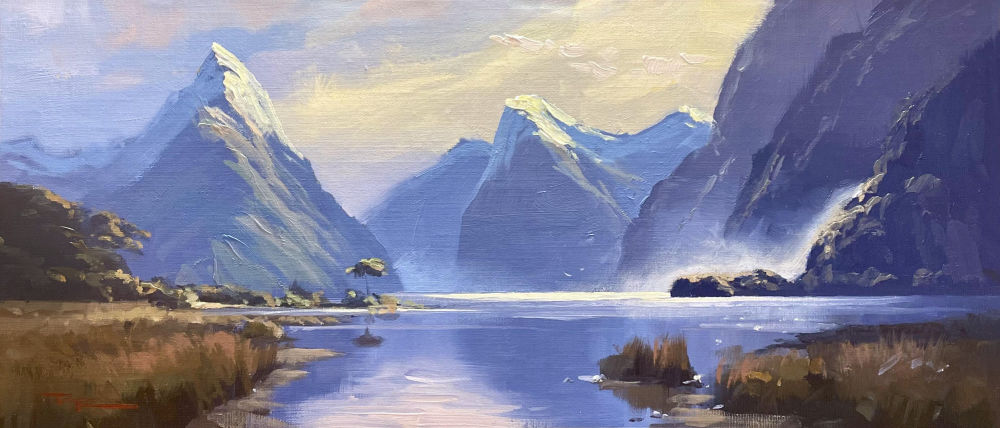
"Milford Sound + Snow" 8x16" Oil on Linen by Richard Robinson
Within seconds, PaintyBot came back with a surprisingly thoughtful analysis. It picked up on the strong use of atmospheric perspective — how those distant mountains fade into lighter values. It commented on the backlighting effect and how the warm highlights on the snow contrast beautifully with the cool blue shadows.
It also suggested that softening some of the edges on the distant peaks could push the depth even further — which is a fair point. Even after painting Milford Sound multiple times, there's always room for another set of eyes.
PaintyBot doesn't just say "nice painting" and leave it at that. It looks at the key areas that matter:
For the best critique, photograph your painting in good, even lighting — natural daylight, but in the shade is best. Avoid flash or harsh overhead lights that can wash out your colours. The better the photo, the more useful the feedback.
And remember, this is a tool to help you grow. Take what's useful, leave what isn't. Use it alongside the critiques you get in our workshops — it's another perspective, available whenever inspiration (or frustration) strikes.
Next time you're working on a painting and you want a second opinion, click that little blue button and ask PaintyBot what it thinks. You might be surprised at how helpful it is.
Happy painting!
— Richard
Login to your account to post a comment.