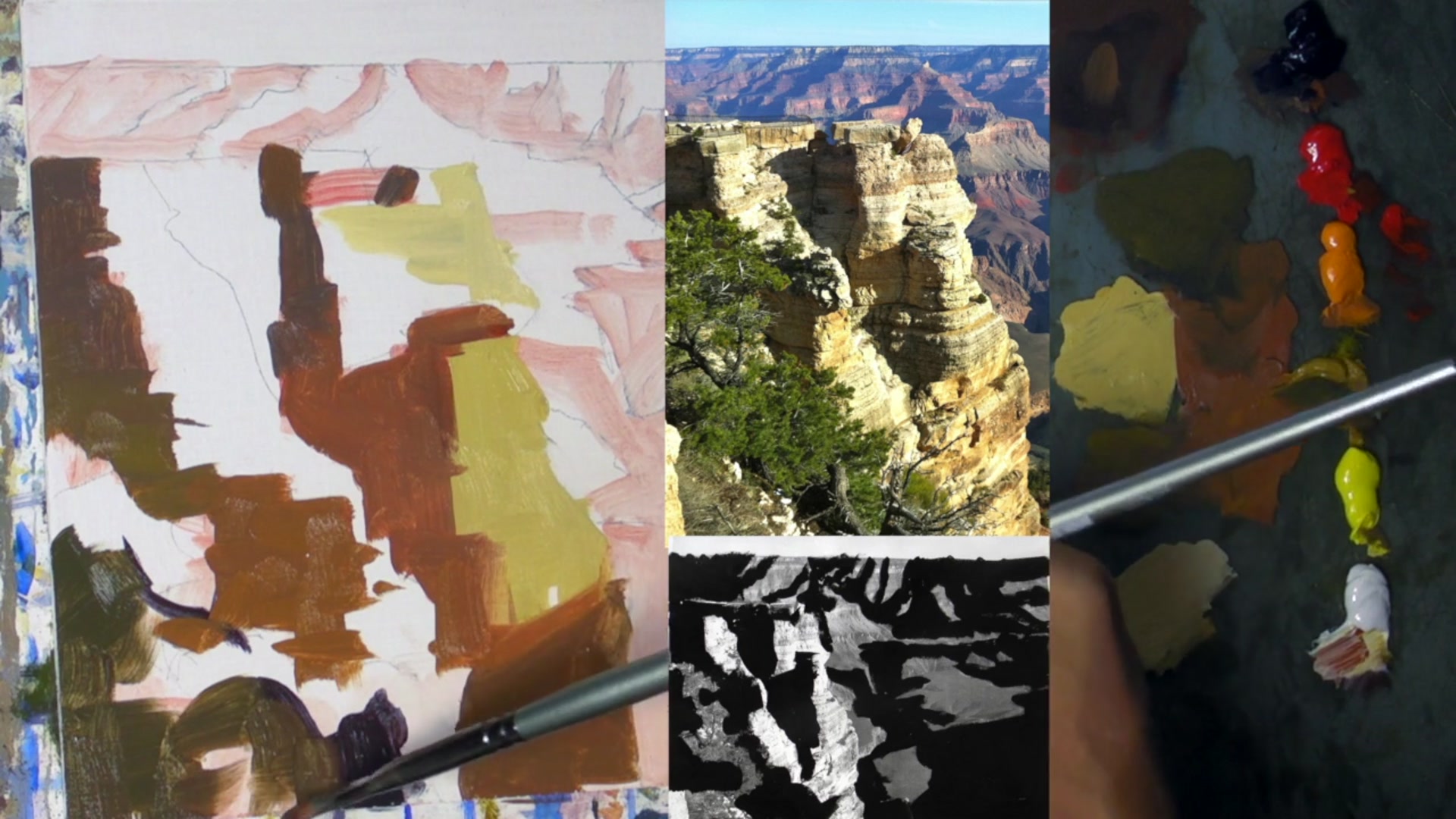
In this chapter, we dive into the majestic and awe-inspiring landscape of the Grand Canyon, a place that offers an unparalleled opportunity to hone your skills in simplifying complex scenes. The Grand Canyon, with its vast expanse stretching 10 to 15 kilometers across and plunging 2 to 3 kilometers deep, presents an overwhelming amount of visual information. It's a scene so intricate that one could spend a lifetime trying to fully grasp its grandeur. As landscape painters, we often face the challenge of distilling such complexity into a manageable composition. Here, we'll explore how to tackle this by focusing on the light and shadow families, a technique that allows us to simplify the scene effectively. By identifying and labeling areas of light and shadow, and using a two-value statement to represent them, we can bring clarity and form to our paintings. This approach not only helps in managing the infinite colors of the canyon but also enhances the design and vibrancy of your work. Join me as we embark on this rewarding journey to capture the essence of one of Earth's most intricate landscapes.
This guide accompanies the full video lesson. The lesson includes the complete narrated video, the printable PDF chapter, and personalised critique support.
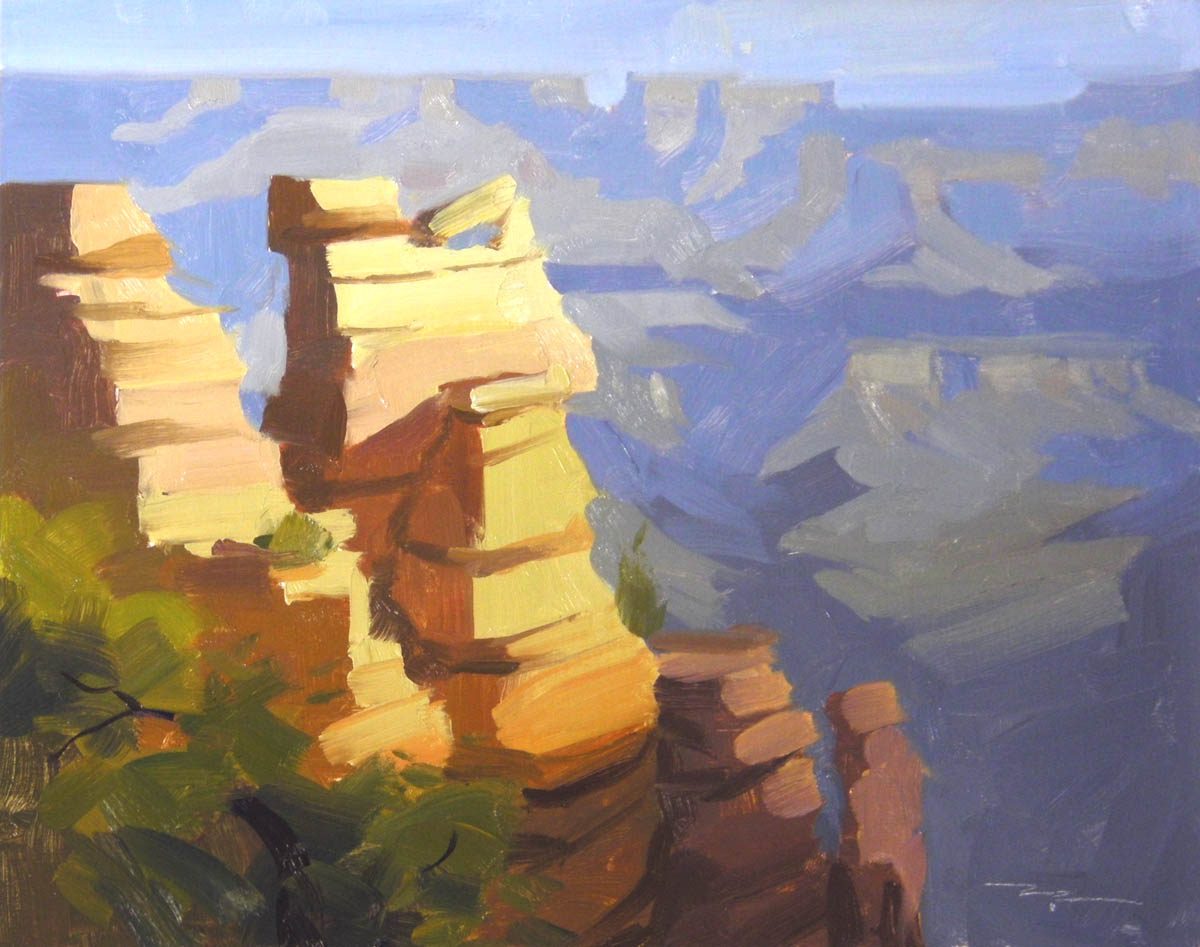
"Sunrise, Grand Canyon" 10x8" Oil on Canvas by Richard Robinson
Step 7Painting Light Shapes and Color Bands
Paint Light Shapes
Focus on painting the light shapes in the rock columns. Keep the color consistent across the two columns to reflect the natural bands of color caused by the rock strata.
Add Pinkish Hue
Introduce a little bit of red to your mix to create a pinkish hue. Ensure the value remains unchanged while maintaining the color consistency across the rock columns.
Incorporate Orange and Yellow
Apply more orange towards the bottom of the rocks to enhance the effect of a soft shadow. Intensify the light with more yellow as it ascends the rock, simulating natural light progression.
Enhance with Reflected Light
Use rich, vibrant colors in the cracks and overhangs where reflected light brightens these areas. A little twist of the brush can create interesting shapes.
Adjust Tree Colors
Use a lighter green for the light areas in the tree. Start with an orange-green to match the orange light on the rock base, then add more yellow as it moves upwards.
Pro tipMaintain consistent color bands across rock columns to reflect natural rock strata.
Embark on your painting journey by simplifying your scene into light and shadow families. This foundational step allows you to manage the complexity of colors and shapes, setting a strong design for your painting. As you progress, focus on maintaining distinct colors for light and shadow areas to preserve clarity and vibrancy.
As you develop your painting, pay attention to the interplay of light and shadow, especially in the Grand Canyon's rocky landscapes. Use a systematic approach to soften edges and introduce color variations, enhancing realism and depth. Remember to adjust your values to create a convincing sense of distance and atmospheric perspective.
In the final stages, evaluate your painting's simplicity and detail. Use the two value statement to strengthen your composition and consider the subjective nature of art as you compare different versions of your work. Focus on the elements that resonate with you personally, ensuring your painting reflects your unique artistic vision.
Points to remember
Choose one color for light and one for shadow to simplify your painting's design.
Join shadow shapes together to unify them and simplify your composition.
Use distinct colors for shadow and light areas to maintain clarity.
Use a pencil to sketch the horizon for precise adjustments before painting.
Soften edges to make shapes appear rounded and more realistic.
Maintain consistent color bands across rock columns to reflect natural rock strata.
Test your color mix with a small dab before applying it to the canvas.
Aim for light areas to be just a bit lighter than shadow areas to enhance depth.