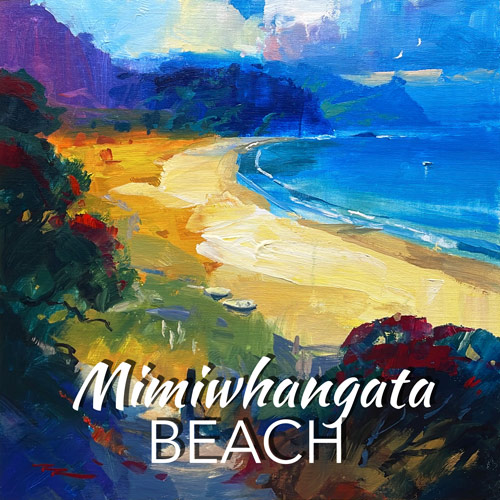
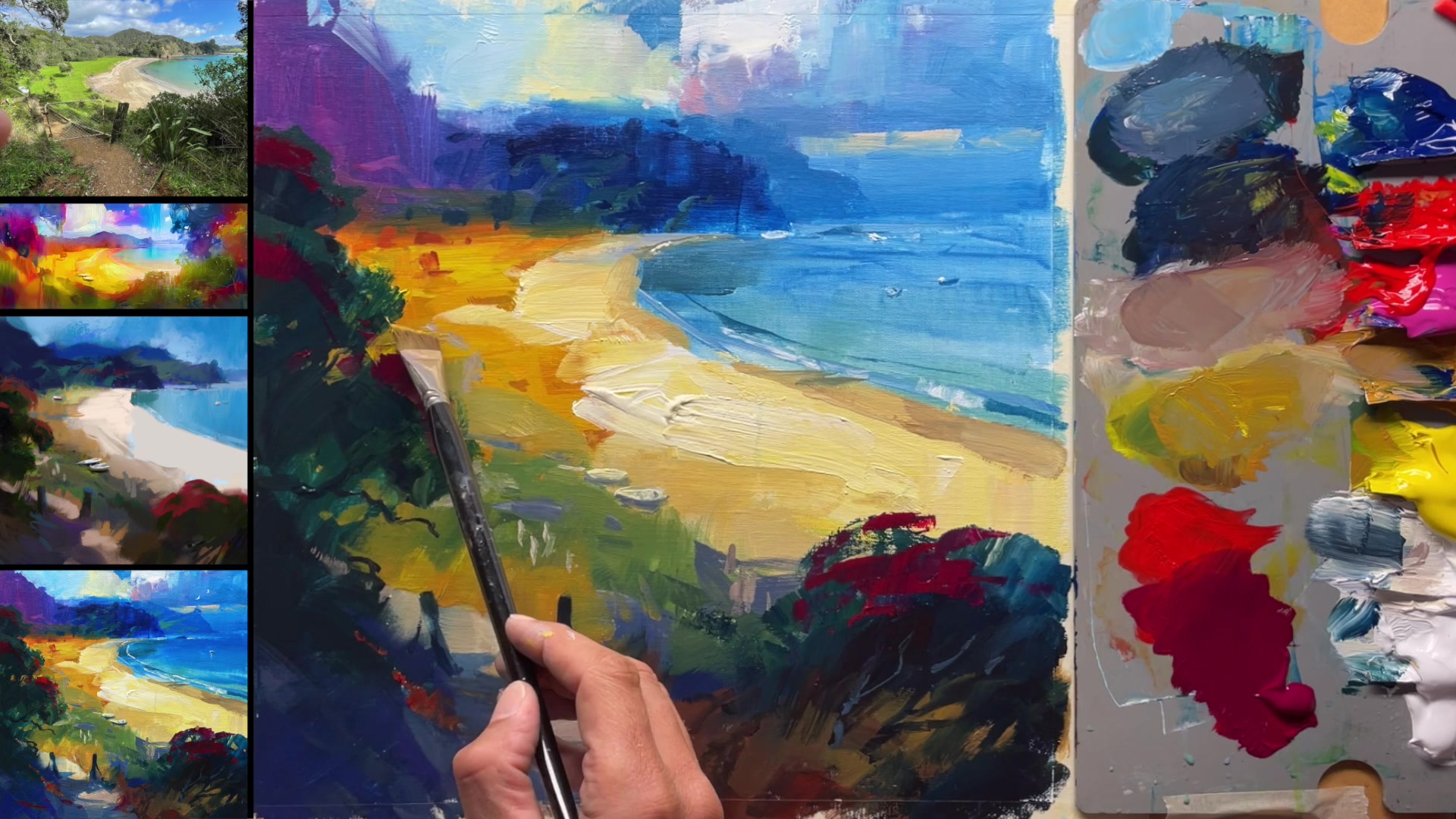
In this chapter, we embark on an artistic journey to capture the vibrant essence of Mimiwhangata Beach, a stunning location in New Zealand. As we delve into this expressive painting, I encourage you to explore the boundaries of your style by asking yourself powerful questions about vibrancy, subtlety, and abstraction. Our goal is to push the limits of how vibrant we can make this scene, using a combination of traditional techniques and modern technology. You'll learn how to utilize Artificial Intelligence in the design stage to enhance your creative process, starting with the Procreate app on your iPad. By blending two photographs, we create a cohesive scene that combines the best elements of each, while adjusting the background to achieve a realistic perspective. An AI-generated image will serve as inspiration, guiding your sketch with its tropical allure. Throughout this lesson, you'll discover the power of a simple palette, passionate brushwork, and a painterly approach, all of which contribute to a rewarding and dynamic painting experience.
This guide accompanies the full video lesson. The lesson includes the complete narrated video, the printable PDF chapter, and personalised critique support.
Darken the shadows around the boats to draw more attention to them. Add a little seagull for interest and sign your painting. Reinforce the light in certain areas if needed, ensuring it feels balanced.
Mix and Apply Punchy Blue
Clean your brush and find a clean area on your palette. Mix phthalo blue with white for a pure, punchy color. Apply this mixture to areas needing more vibrancy, as phthalo blue leans more towards yellow, providing a brighter effect than ultramarine blue.
Adjust Reflections and Foam
Add a bit of white to your blue mixture and some water for softer edges. Use this to darken the reflection of the hill in the water, as the ocean appears darker now. Create fine lines with white and blue to depict foam left by breaking waves.
Finalize Details
Reinstate any small details like rocks or light splashes that may have been lost. Ensure these additions are very fine to maintain subtlety. Check the overall balance of light and shadow to ensure the painting feels complete.
Pro tipUse phthalo blue for vibrant areas, as it maintains brightness better than ultramarine blue.
Embark on your painting journey by combining photographic elements in Procreate, creating a unique and cohesive scene that serves as the foundation for your artwork. Use the app's features to manipulate and blend images, allowing you to craft a composition that captures the essence of Mimiwhangata Beach. As you sketch, explore different brushes and layers to experiment with depth and style, setting the stage for your painting.
As you transition to the canvas, focus on blocking in bold colors and creating texture with a variety of brushstrokes. Embrace the fluidity of acrylics by keeping your paint wet, allowing for smooth blending and vibrant color transitions. Use AI-generated images as inspiration to refine your style, but let your creativity guide the painting process, ensuring each mark is unique and expressive.
In the final stages, pay attention to the details that bring your scene to life. Add highlights and subtle transitions to suggest light and movement, and use impasto techniques to enhance texture and depth. Remember to maintain good brush care throughout, ensuring your tools remain in excellent condition for future projects. With these techniques, your painting will capture the beauty and vibrancy of the beach, inviting viewers into your artistic vision.
Points to remember
Use the eraser tool in Procreate to seamlessly blend two photos.
Work on different layers in Procreate to easily experiment and make changes.
Apply paint thickly to extend drying time, allowing for easier manipulation.
Use a mix of sharp and soft edges to add texture and interest to your painting.
Avoid duplicating brush marks to maintain a natural and varied appearance.
Blend sky colors smoothly with white and a touch of yellow for a harmonious transition.
Use thin, horizontal marks near the horizon to maintain the effect of distance.
Keep your brushes wet to prevent acrylics from drying in them.