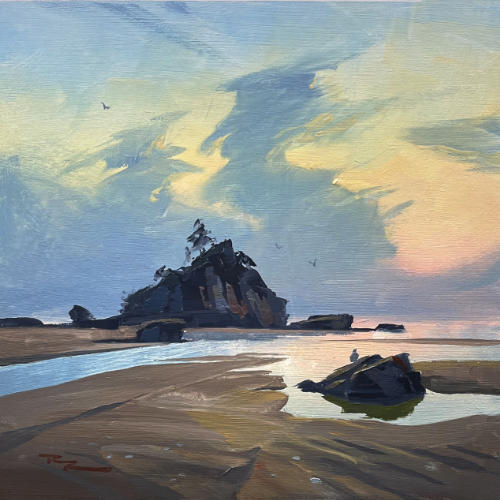
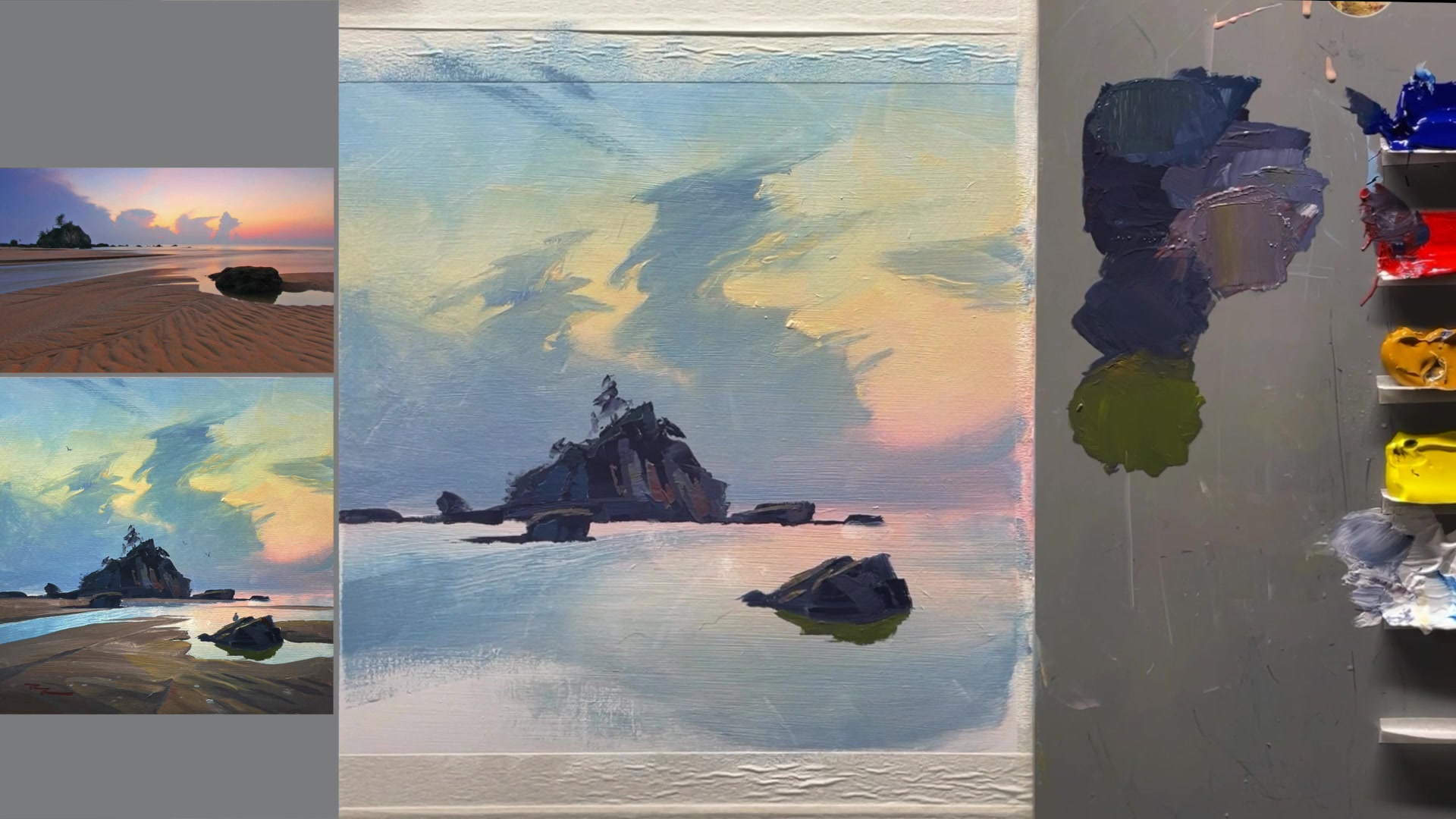
In this chapter, we delve into the art of painting expressive skies, focusing on a captivating backlit scene from Malaysia at sunset. This lesson is a part of a larger course I'm developing, Expressive Skies, and offers a glimpse into the techniques we'll explore. The scene presents a unique opportunity to understand backlighting, where the sun is positioned directly in front of us, casting the island and clouds into shadow while highlighting their edges with a beautiful rim light. This setup creates a striking gradation in the sky, transitioning from warm light near the sun to cooler, darker hues as you move away. We'll explore how to capture this effect effortlessly in both acrylics and oils. The process is broken down into four simple steps: painting the sky's gradation, layering the expressive clouds, adding the rocky island, and finishing with the wet sand in the foreground. Each step is designed to be easy to follow, allowing you to experiment and enhance your own paintings. I invite you to enjoy this free lesson and share any feedback you might have, as it will help me refine the course to better suit your creative journey.
This guide accompanies the full video lesson. The lesson includes the complete narrated video, the printable PDF chapter, and personalised critique support.
Start with red as the base color for the sand, then add a little yellow. To tone it down, mix in some blue to create a brown. If it's too dark, lighten it with a bit of white. Adjust the color by adding more blue to gray it down if needed.
Apply the Sand Color
Begin applying the sand color in the foreground with big brushstrokes and lots of paint. As you move further away, make the sand color lighter to reflect more light.
Define Edges and Shapes
Consider drawing the edges with a pencil for accuracy, especially for important shapes like long triangles. Use a smaller brush if necessary to draw around rocks accurately.
Add Light and Shadows
Add more yellow ochre and white to lighten the sand color. Soften it into the dark area to create a soft shadow with very soft edges, which helps guide the eye into the mid-ground.
Create Crisp Edges
Ensure crisp edges where the sand meets the water, allowing some of the sky color to mix in for a reflective effect. Use a large crisp brush for a clean look, and adjust as needed for accuracy.
Pro tipUse a large crisp brush for clean edges and a professional finish.
In this lesson on painting expressive skies with backlighting, you begin by establishing a smooth base for your sky using a wet-on-wet technique. This allows you to create seamless gradations from a sunset pink to a vibrant yellow and deep blue. As you progress, focus on blending colors smoothly and maintaining a wet surface to achieve the desired atmospheric effect.
Next, bring your sky to life by adding clouds, using a combination of soft and hard edges to create depth and interest. Employ retarder medium to extend the workability of your acrylics, allowing you to manipulate the paint for natural transitions. As you add details, such as highlights and shadows, remember to keep your brush clean and your colors fresh to enhance the backlit effect.
Finally, add the finishing touches to your landscape by painting the island, rocks, and their reflections. Pay attention to the interplay of light and shadow, using crisp edges and varied brushstrokes to convey realism. Incorporate small details like seagulls and shells to bring movement and life to your scene. Remember, the drying process will darken your colors, so adjust accordingly to maintain the vibrancy of your painting.
Points to remember
Keep the painted area wet by misting with water for smooth blending.
Use varied brushstrokes and keep the paint wet to achieve smooth blends in the sky.
Use retarder medium to keep acrylics workable for longer, allowing for smoother blending.
Use a mix of hard and soft edges on clouds to add depth and interest.
Ensure rock bases are horizontal and straight for a realistic effect.
A crisp edge between the rock reflection and sky reflection enhances realism.
Use a single brushstroke to create big, crisp shapes for a strong foundation.
Remember that paint dries darker, so mix colors slightly lighter than desired.