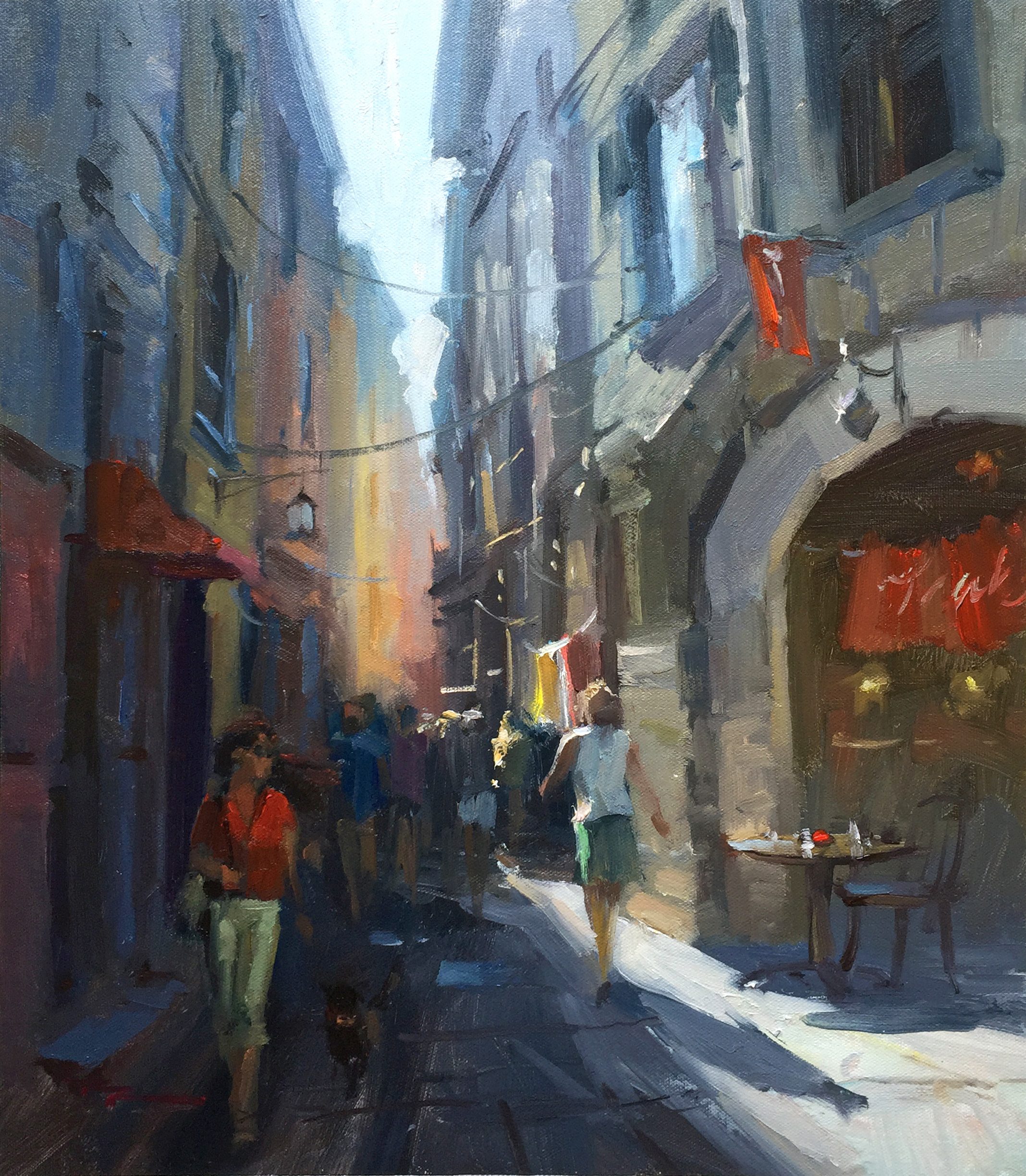
Returning to Italy in this chapter, I invite you to explore the enchanting streets of Vernazza, one of the five charming villages of the Cinque Terre. This area, with its car-free, winding streets and vibrant, colorful buildings, is truly a painter's dream. As we delve into this bustling Italian street scene, you'll learn to capture the glowing light, reflected light, and sky shine that make these streets so captivating. We'll tackle perspective drawing and figure painting, essential skills for bringing this lively scene to life. The unique character of Vernazza, with its rich hues and quaint architecture, offers a rewarding subject for any painter. As you follow along with my step-by-step guidance, consider incorporating elements like umbrellas or overhang canvases to add interest and shape to your composition. Notice how the large light shape in the scene directs the viewer's eye down the street, creating a dramatic design. Together, we'll transform this picturesque setting into a vibrant painting that captures the essence of Italian charm.
This guide accompanies the full video lesson. The lesson includes the complete narrated video, the printable PDF chapter, and personalised critique support.
"Streets of Vernazza" 14x17" Oil on Canvas by Richard Robinson.
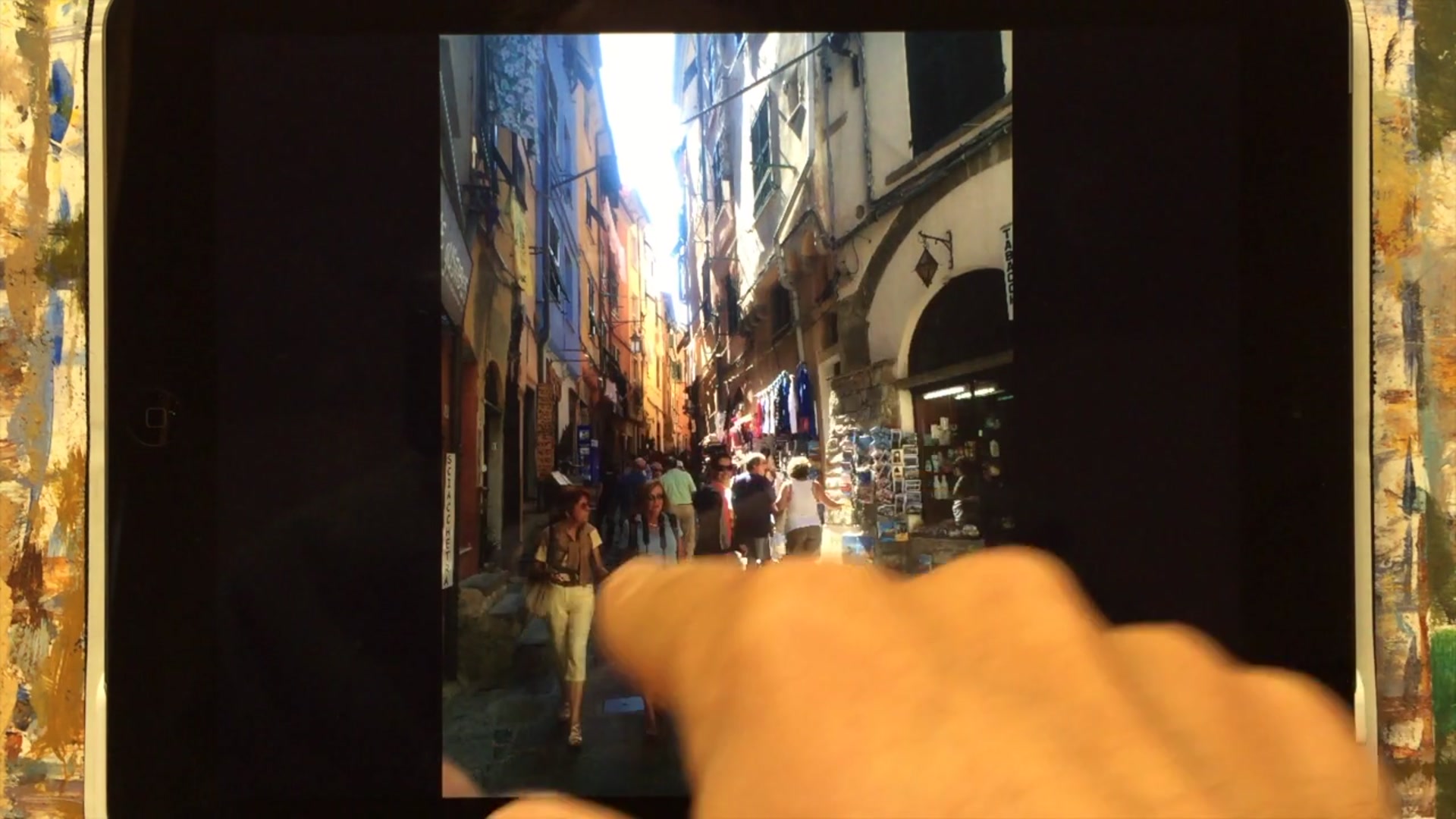
Step 2Adjusting Photo Exposure
Adjust Photo Exposure
Use image editing software to adjust the exposure of your photo. Increasing the exposure will reveal more color information and detail in the dark areas. Be cautious, as this may cause the lighter areas to become overexposed.
Enhance Shadow Details
Look for a 'shadows' filter in your editing application. Raising the level of the shadows can enhance color information and detail without overexposing the highlights. This adjustment often results in a more balanced and visually appealing image.
Pro tipUse the 'shadows' filter to bring out more detail in dark areas without affecting the highlights.
Embark on your painting journey by thoughtfully composing your scene, incorporating elements that guide the viewer's eye and create interest. Adjust your reference photo's exposure to reveal hidden details, ensuring a balanced image that serves as a strong foundation for your painting. Begin with a secure canvas and a well-planned sketch, using a grid transfer method to accurately capture complex scenes.
As you progress, focus on maintaining perspective and depth by carefully observing and replicating the angles and lines in your reference. Use a mix of dark tones to establish the shadows and contrast, and gradually build up layers of atmospheric lighting to enhance the scene's realism. Balance warm and cool colors to create a dynamic interplay of light and shadow, ensuring that each element contributes to the overall composition.
In the final stages, refine your painting with fine details and thoughtful color interpretation. Use high-quality brushes for precision, and add elements like furniture and figures to inject life and movement into your scene. Make final adjustments to enhance depth, warmth, and cohesion, ensuring your painting captures the vibrant essence of the Streets of Vernazza.
Points to remember
Incorporate elements that guide the viewer's eye through the composition.
Use the 'shadows' filter to bring out more detail in dark areas without affecting the highlights.
Use a grid transfer method to simplify and accurately sketch complex scenes onto your canvas.
Ensure vertical lines converge at the top to maintain perspective.
Keep initial layers thin to allow for easy blending of subsequent colors.
Wipe off any unwanted blue before adding warm colors to prevent creating grey tones.
Reflect sky colors in windows to break up shadowed areas and add interest.
Use a high-quality brush to achieve fine lines and avoid clumps in your details.